
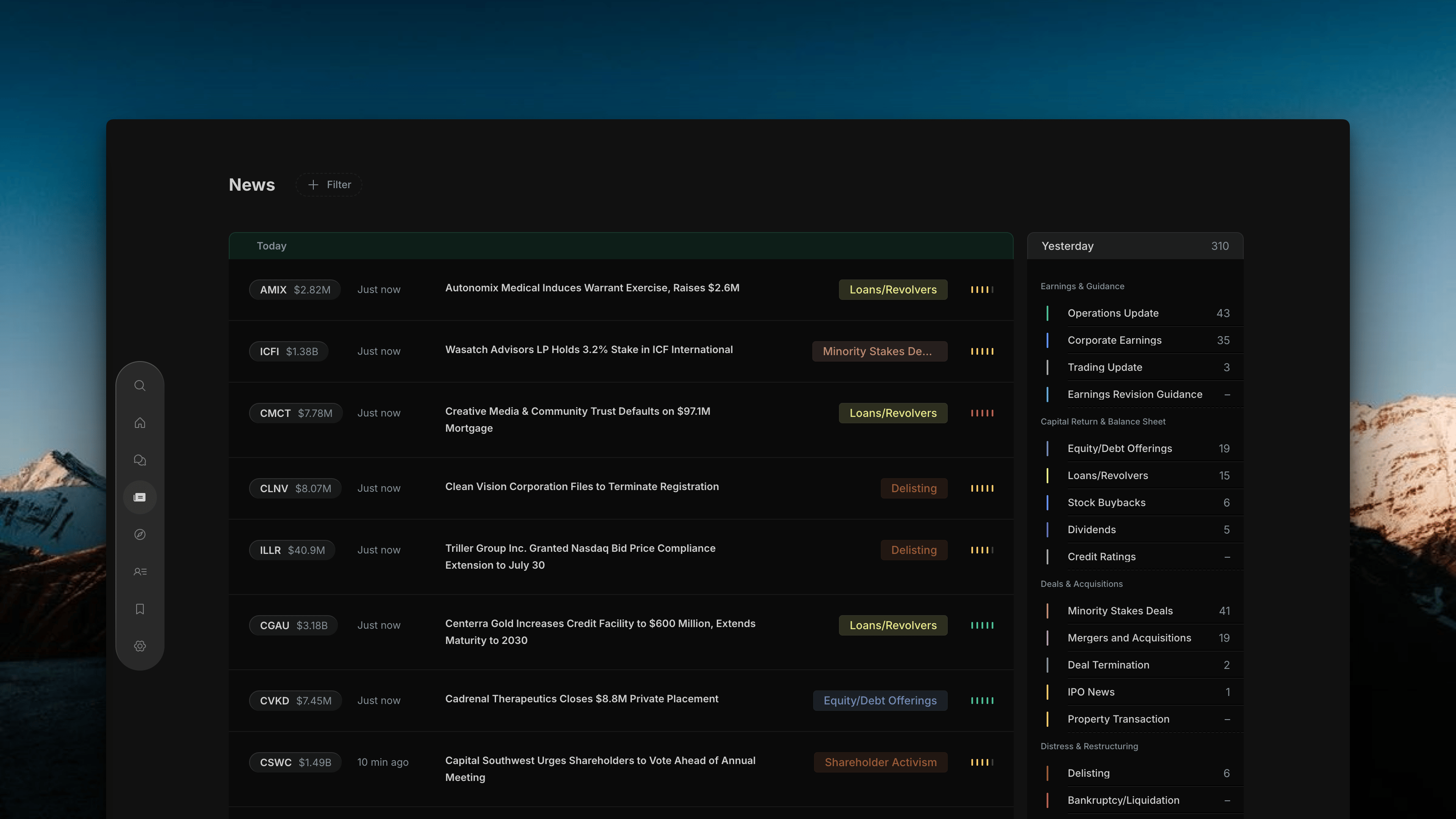
Page Layout
The News page has three areas that work together:Center — News Feed
The main feed of news rows, sorted by time. Each row is one corporate event.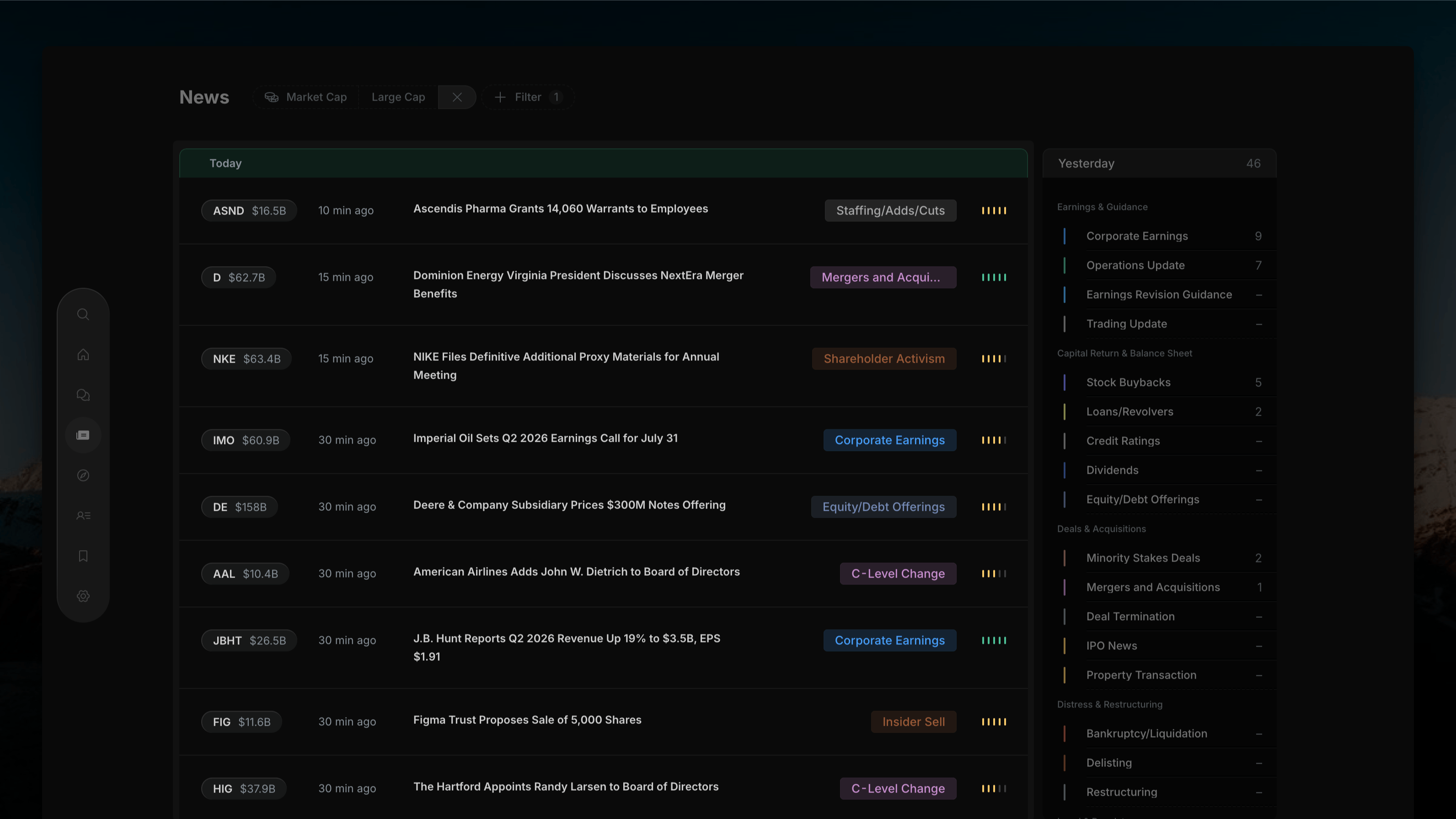
Right — Category Filter
10 grouped event categories with live article counts. Click to filter the feed by event type.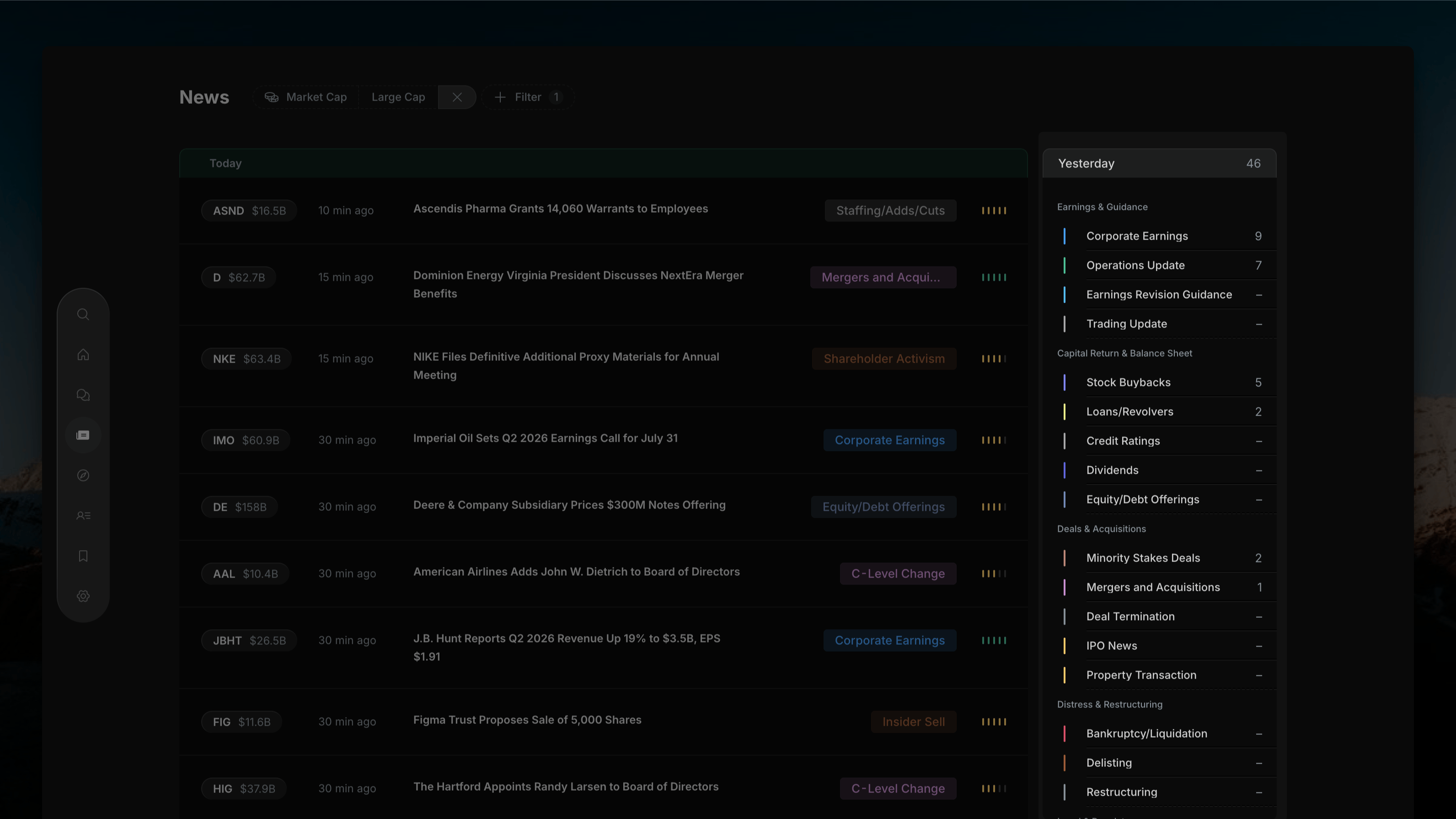
Top — Filter Bar
+ Filter button for dimension filters: Market Cap, Time, Impact Signal, Sector, Exchange, Watchlist.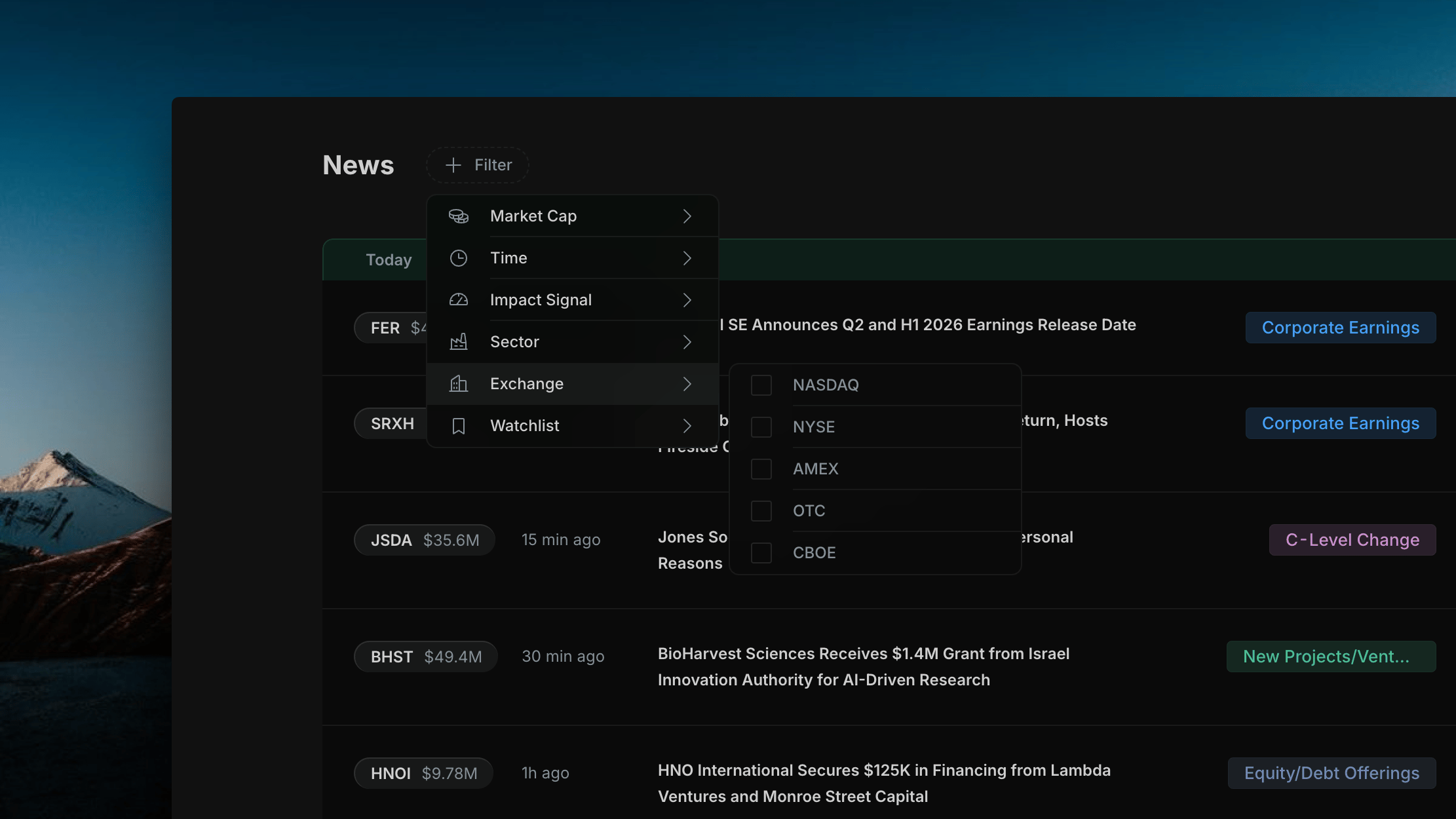
News Feed Rows
Each row in the feed shows: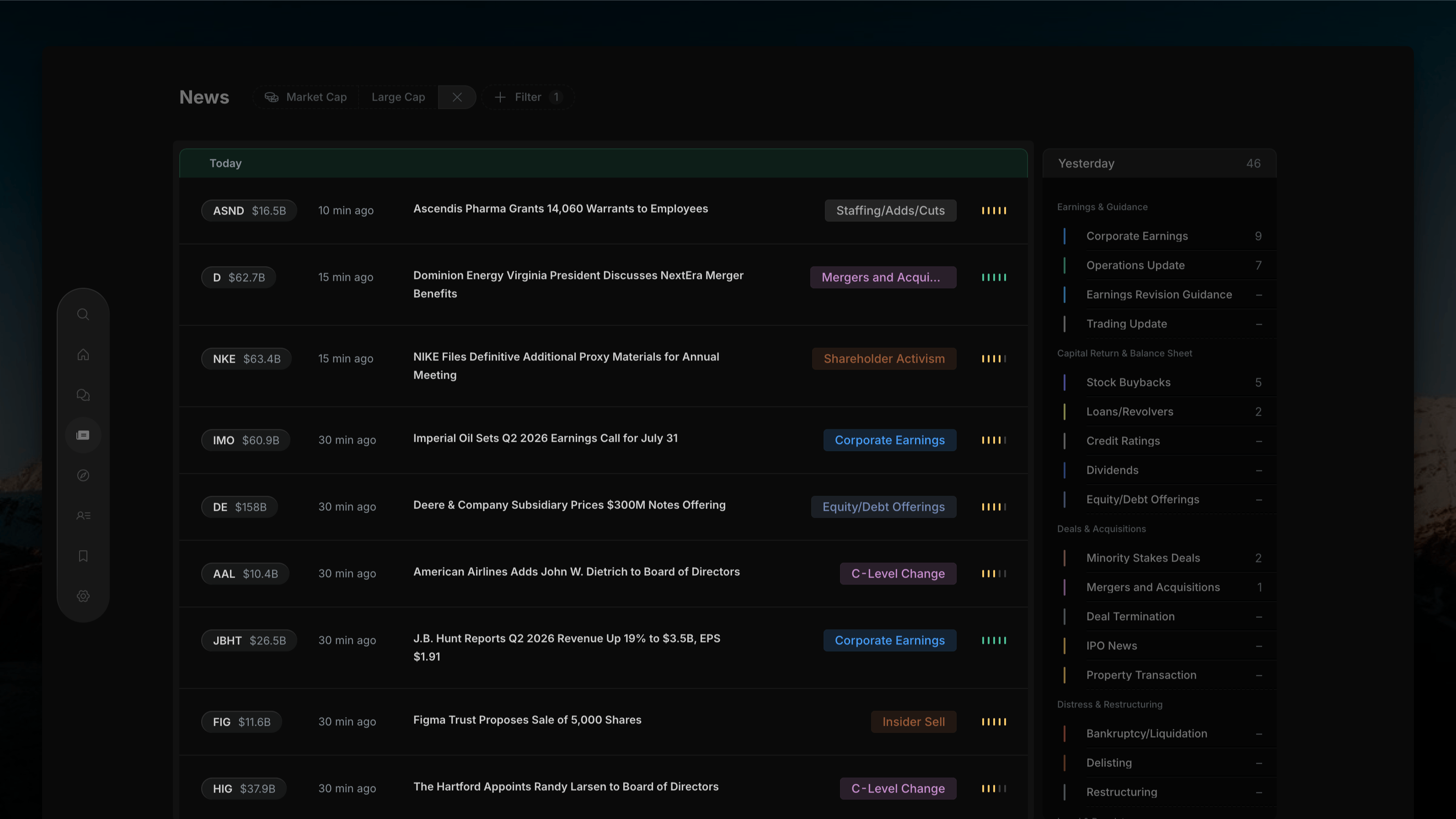
Time Period
A Today tab sits above the feed, showing the current time window. Use the Filter Bar to switch between Today, This Week, This Month, or All Time.Opening an Article
Click any news row to open the Article Detail overlay — a full-screen panel with the AI summary, source filing, and navigation arrows to move between articles.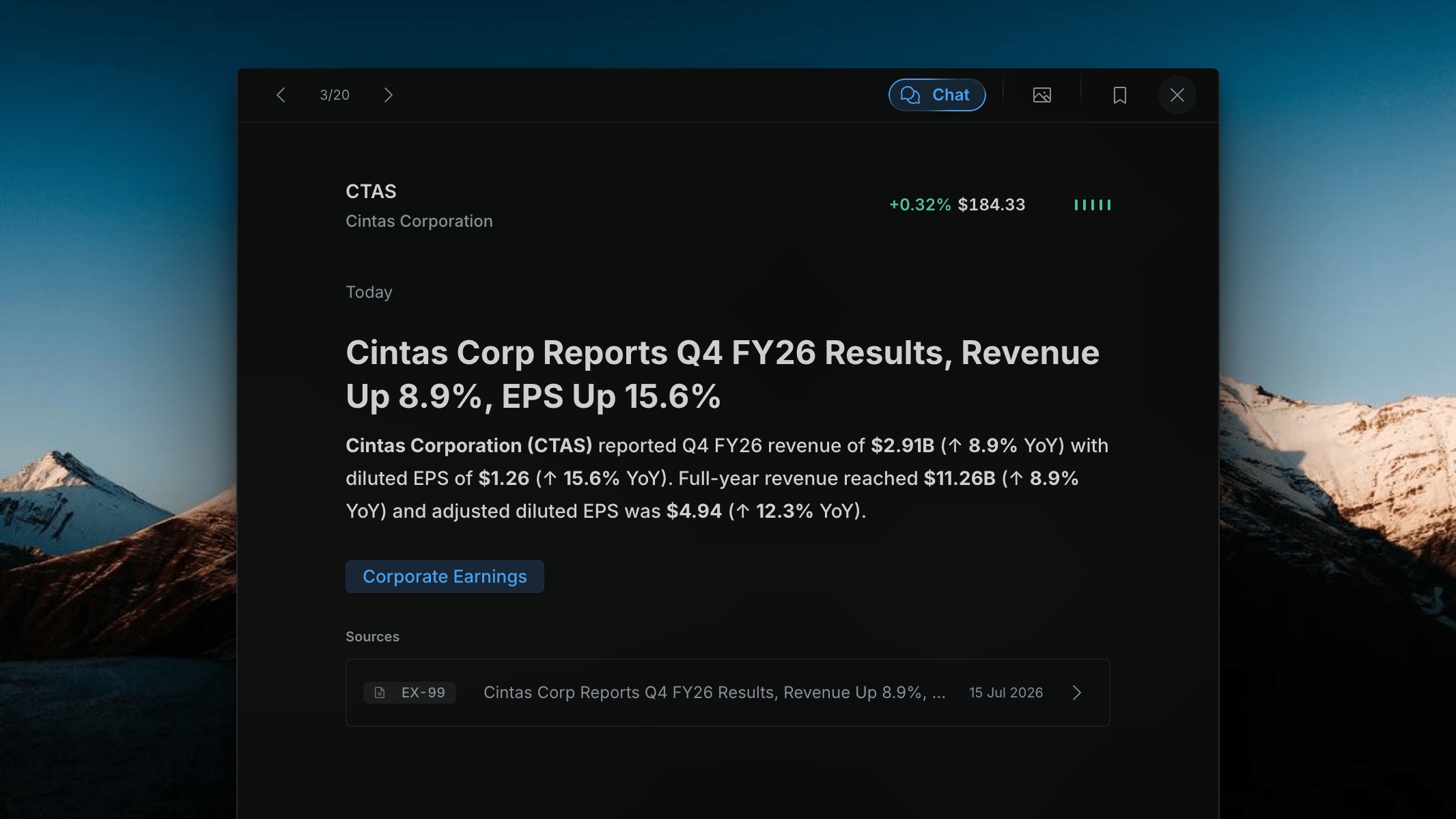
Opening a Company Profile
Click the ticker pill on any row to open the Company Profile as a modal overlay on top of the News page. The profile shows: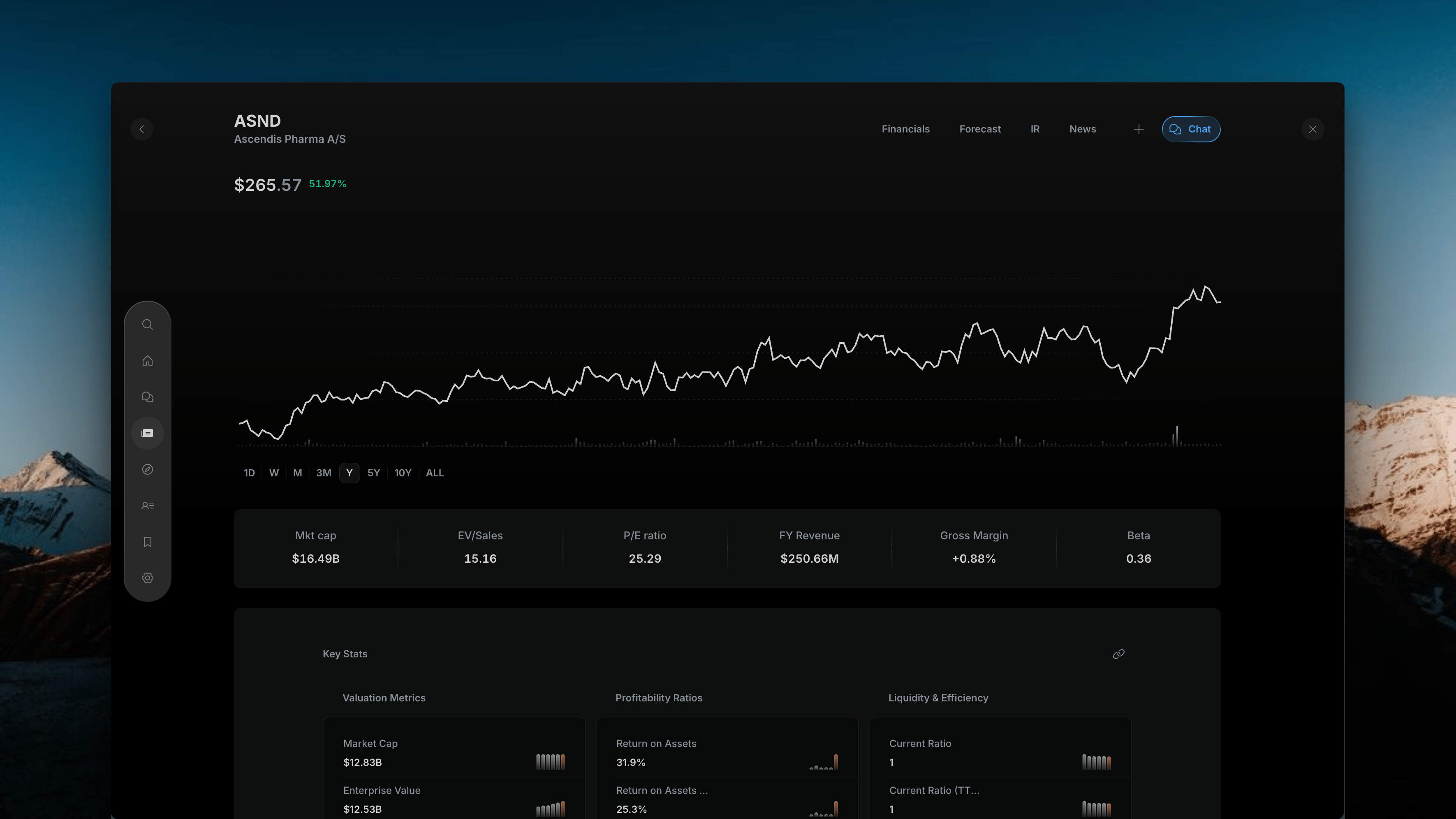
- Price chart (1D / W / M / 3M / Y / 5Y / 10Y / ALL timeframes)
- Key metrics bar (Market Cap, EV/Sales, P/E, Revenue, Gross Margin, Beta)
- Tabs: Financials, Forecast, IR, News
- Chat button for AI questions scoped to this company