> ## Documentation Index
> Fetch the complete documentation index at: https://docs.insighthread.com/llms.txt
> Use this file to discover all available pages before exploring further.
# Overview
The **News** page is a real-time feed of corporate events and SEC filings across 6,000+ US public companies. Every item is AI-summarized and categorized the moment it hits EDGAR — no editorial lag, no aggregator delay.
 ## Page Layout
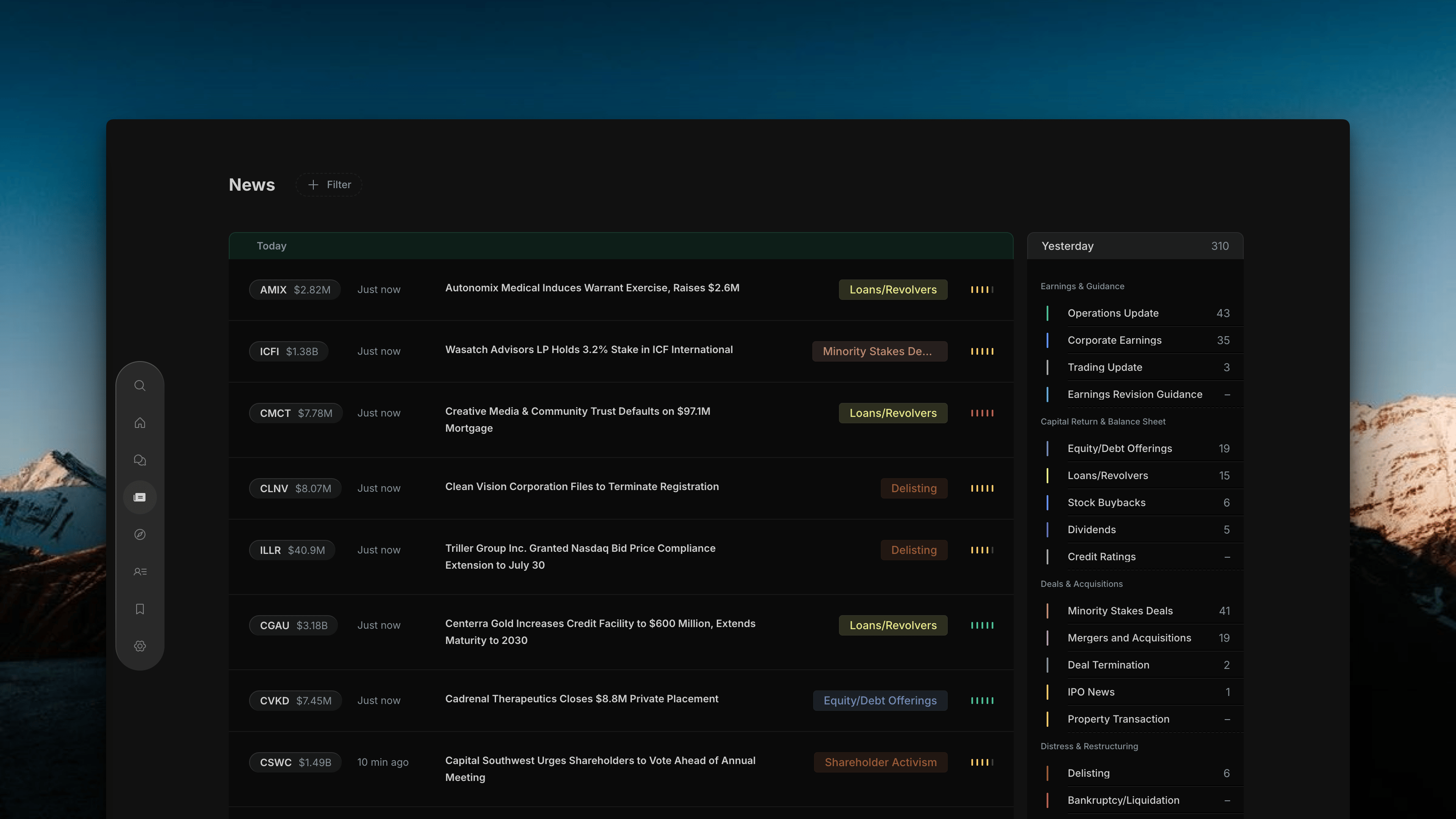
The News page has three areas that work together:
The main feed of news rows, sorted by time. Each row is one corporate event.
## Page Layout
The News page has three areas that work together:
The main feed of news rows, sorted by time. Each row is one corporate event.
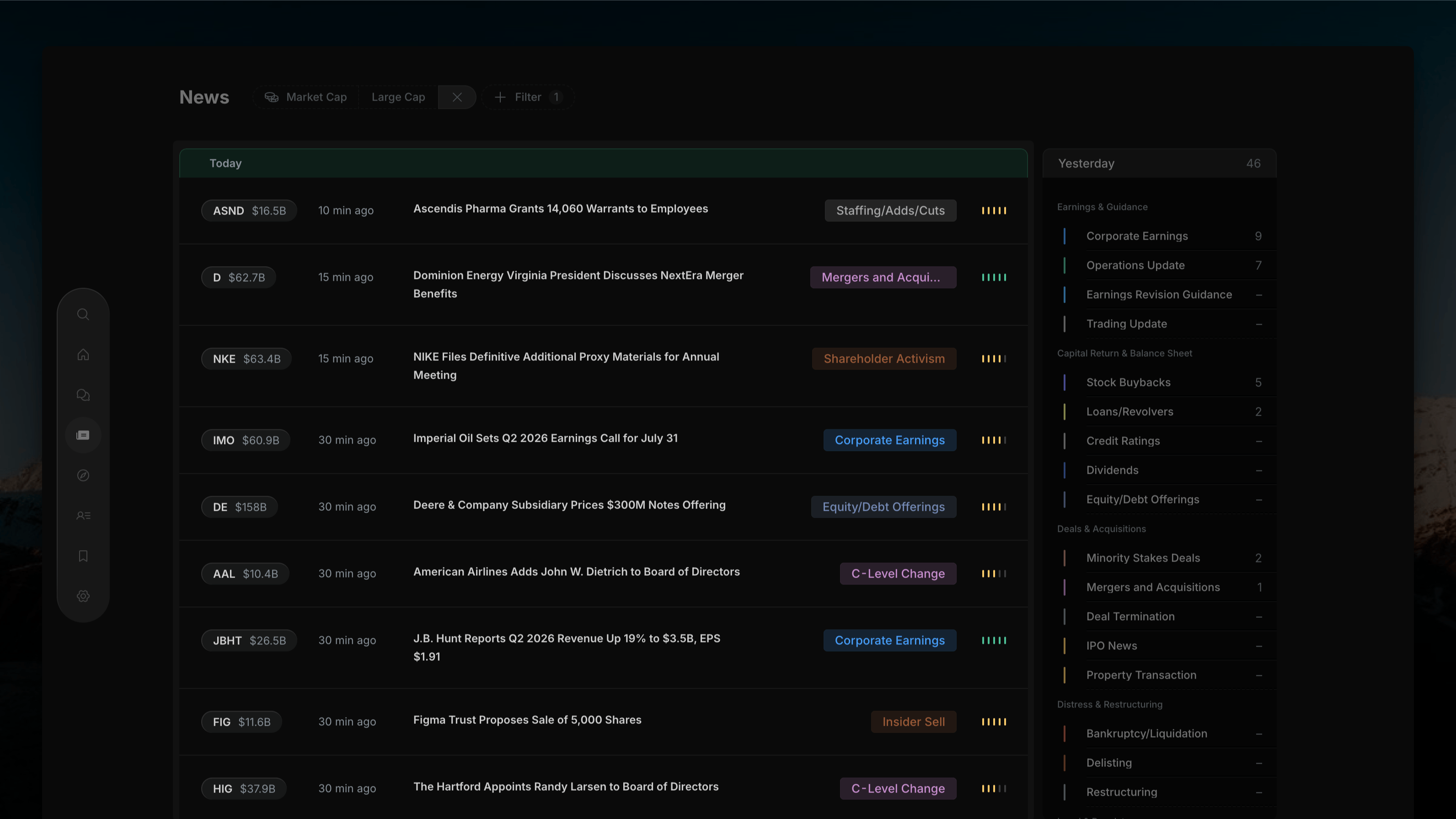 10 grouped event categories with live article counts. Click to filter the feed by event type.
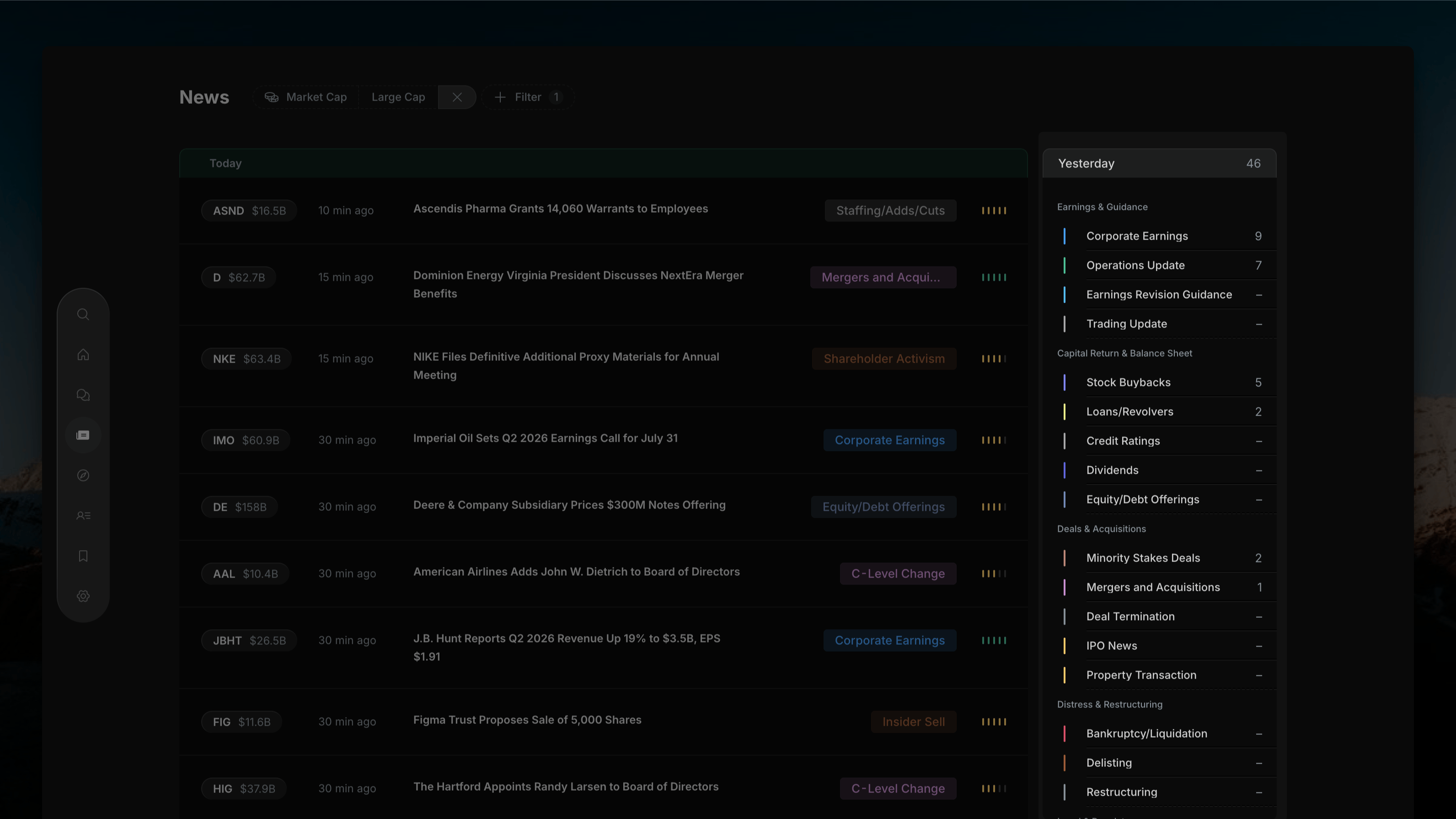 **+ Filter** button for dimension filters: Market Cap, Time, Impact Signal, Sector, Exchange, Watchlist.
 ## News Feed Rows
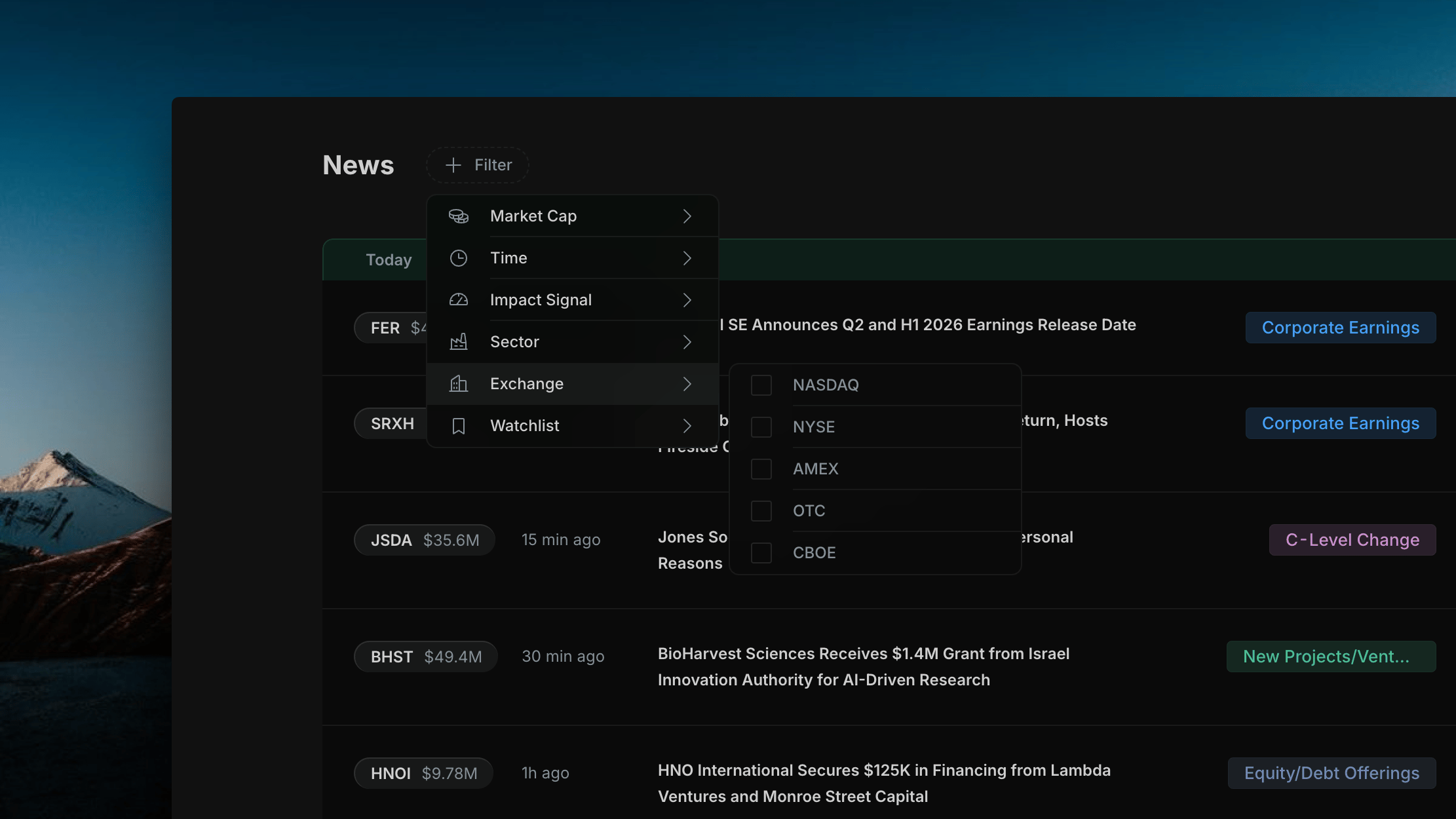
Each row in the feed shows:
## News Feed Rows
Each row in the feed shows:
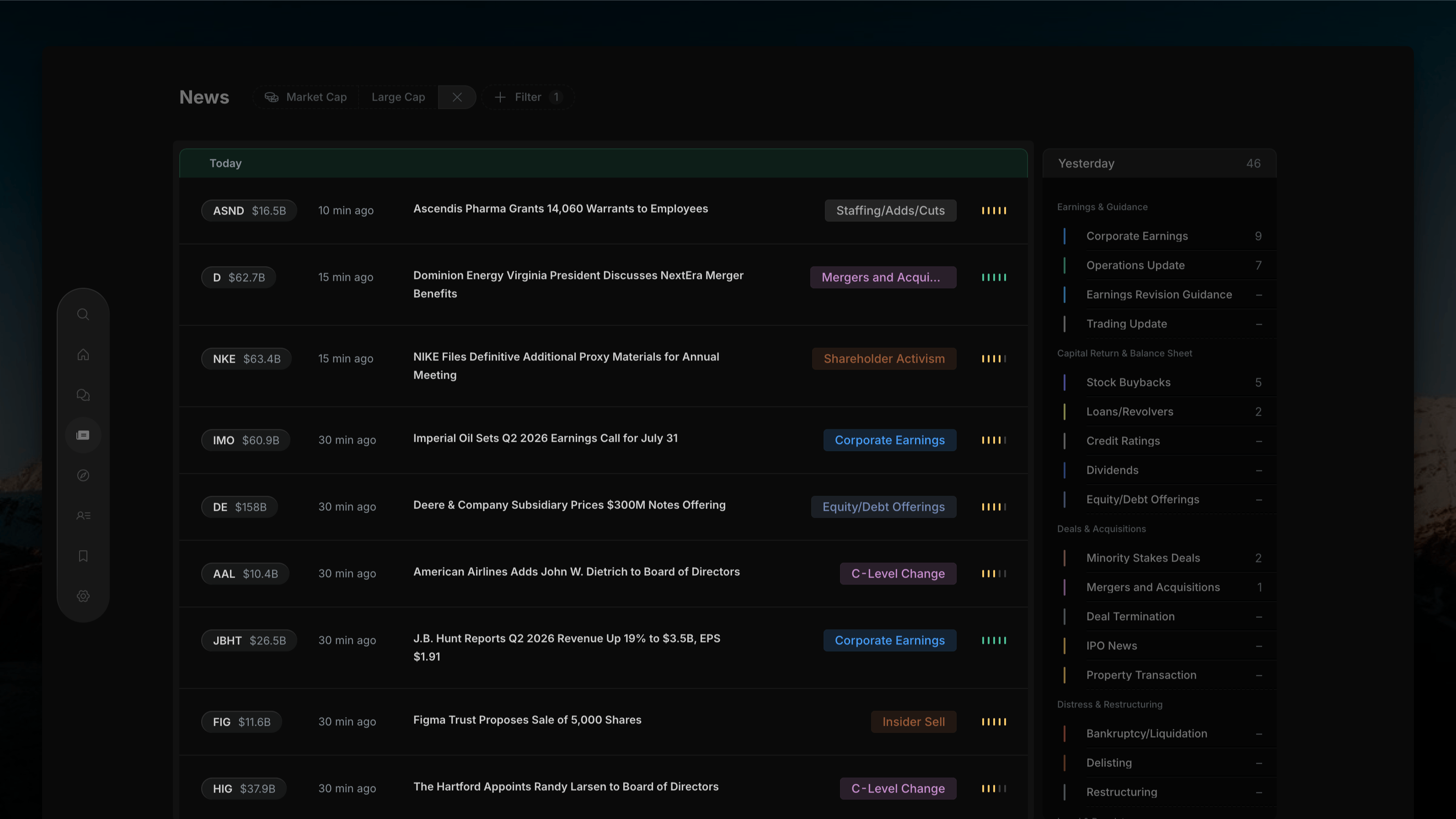 | Element | Description |
| ------------------ | ------------------------------------------------------------------------------------------------------ |
| **Ticker pill** | Company ticker and market cap (e.g. `TCBK $1.89B`) — click to open Company Profile |
| **Time** | How long ago the event was filed (e.g. "10 min ago") |
| **Headline** | Full article title |
| **Category badge** | Event type (e.g. Corporate Earnings, Mergers and Acqu..., C-Level Change) |
| **Impact signal** | Colored bars indicating AI-assessed price impact — green (positive), yellow (moderate), red (negative) |
## Time Period
A **Today** tab sits above the feed, showing the current time window. Use the [Filter Bar](/news/filter-bar) to switch between Today, This Week, This Month, or All Time.
## Opening an Article
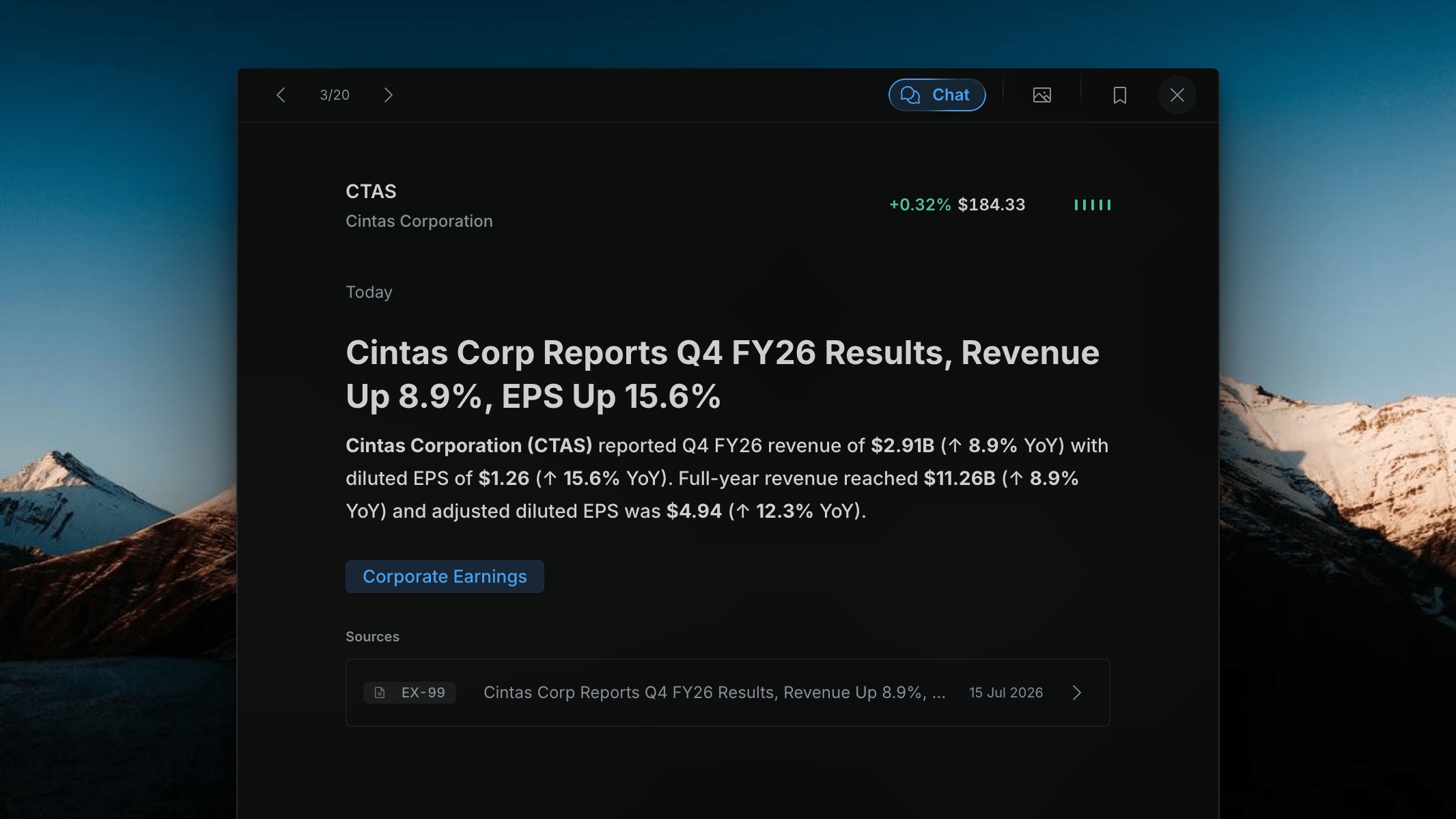
Click any news row to open the [Article Detail](/news/article-detail) overlay — a full-screen panel with the AI summary, source filing, and navigation arrows to move between articles.
| Element | Description |
| ------------------ | ------------------------------------------------------------------------------------------------------ |
| **Ticker pill** | Company ticker and market cap (e.g. `TCBK $1.89B`) — click to open Company Profile |
| **Time** | How long ago the event was filed (e.g. "10 min ago") |
| **Headline** | Full article title |
| **Category badge** | Event type (e.g. Corporate Earnings, Mergers and Acqu..., C-Level Change) |
| **Impact signal** | Colored bars indicating AI-assessed price impact — green (positive), yellow (moderate), red (negative) |
## Time Period
A **Today** tab sits above the feed, showing the current time window. Use the [Filter Bar](/news/filter-bar) to switch between Today, This Week, This Month, or All Time.
## Opening an Article
Click any news row to open the [Article Detail](/news/article-detail) overlay — a full-screen panel with the AI summary, source filing, and navigation arrows to move between articles.
 ## Opening a Company Profile
Click the **ticker pill** on any row to open the Company Profile as a modal overlay on top of the News page. The profile shows:
## Opening a Company Profile
Click the **ticker pill** on any row to open the Company Profile as a modal overlay on top of the News page. The profile shows:
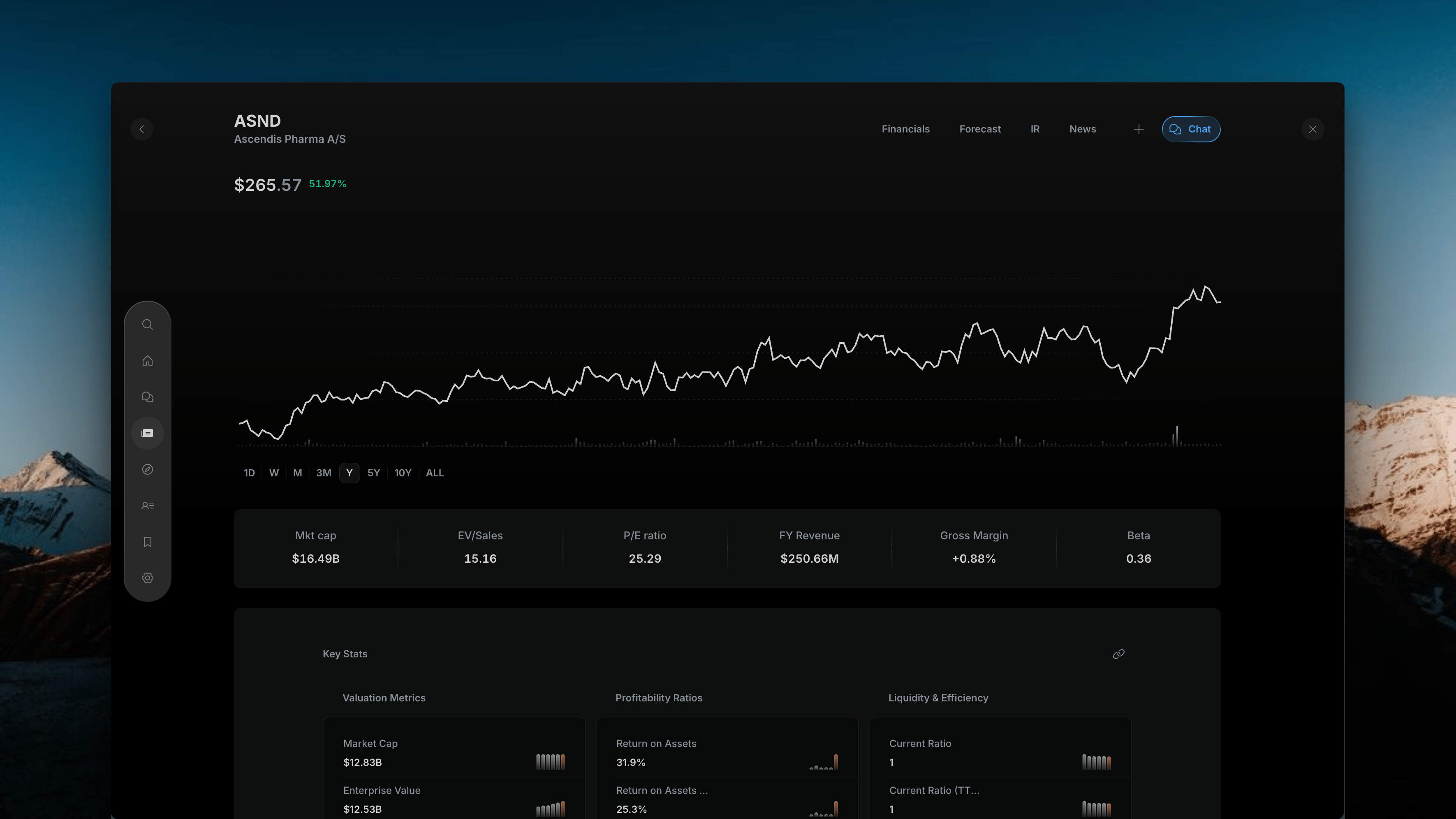 * Price chart (1D / W / M / 3M / Y / 5Y / 10Y / ALL timeframes)
* Key metrics bar (Market Cap, EV/Sales, P/E, Revenue, Gross Margin, Beta)
* Tabs: **Financials**, **Forecast**, **IR**, **News**
* **Chat** button for AI questions scoped to this company
Press **W** or click **✕** to close the profile and return exactly where you left off in the feed.
## Related topics
- [Overview](/home/overview.md)
- [API Authentication — Insighthread News API Bearer Tokens](/api/authentication.md)
- [Insighthread News API: All Event Categories Reference](/api/event-categories.md)
- [Insighthread News API: Real-Time SEC Event Intelligence](/api/overview.md)
- [Company Profiles: Deep Research on Any Public Stock](/features/company-profiles.md)
* Price chart (1D / W / M / 3M / Y / 5Y / 10Y / ALL timeframes)
* Key metrics bar (Market Cap, EV/Sales, P/E, Revenue, Gross Margin, Beta)
* Tabs: **Financials**, **Forecast**, **IR**, **News**
* **Chat** button for AI questions scoped to this company
Press **W** or click **✕** to close the profile and return exactly where you left off in the feed.
## Related topics
- [Overview](/home/overview.md)
- [API Authentication — Insighthread News API Bearer Tokens](/api/authentication.md)
- [Insighthread News API: All Event Categories Reference](/api/event-categories.md)
- [Insighthread News API: Real-Time SEC Event Intelligence](/api/overview.md)
- [Company Profiles: Deep Research on Any Public Stock](/features/company-profiles.md)